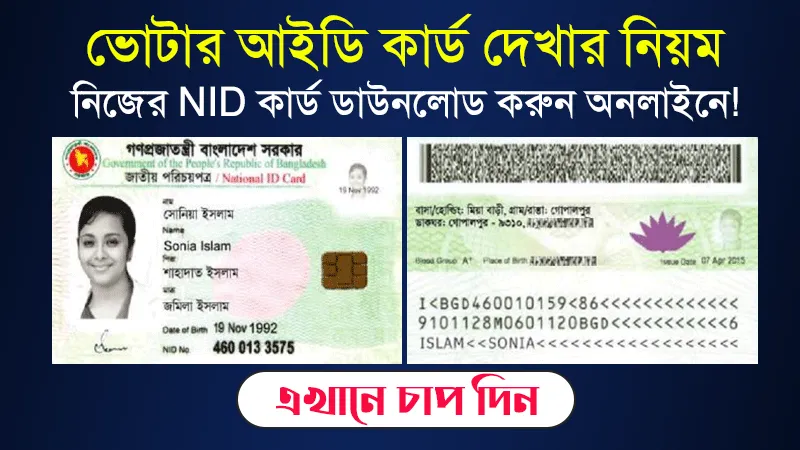
NID Card Download services.nidw.gov.bd – service nidw gov bd/nid-pub Login. How to Check & get NID – জাতীয় পরিচয়পত্র ডাউনলোড ২০২৬. The NID Card Download service through services.nidw.gov.bd is a convenient online facility provided by the Bangladesh Election Commission (নির্বাচন কমিশন) for citizens to access, verify, and download their National Identity Card (জাতীয় পরিচয়পত্র or NID card) digitally. This portal allows eligible Bangladeshi citizens to obtain an official online copy (PDF version) of their NID, which can be used for various purposes like job applications, banking, government services, and more—especially useful when the physical smart card is not immediately available or has been lost/delayed.
As of March 2026, the primary official website for NID-related services, including downloading, remains https //services.nidw.gov.bd. (often accessed via the login/portal page at https //services.nidw.gov.bd/nid-pub).
NID Card Download services.nidw.gov.bd – service nidw gov bd/nid-pub Login
Get a verifiable digital copy instantly (with photo, fingerprint data reference, and all details).
- Useful for new voters, those awaiting physical smart card delivery, or anyone needing a quick replacement copy.
- The digital version is accepted by many institutions as a valid NID proof.
- It integrates with the NID Wallet mobile app for enhanced security and verification.
Note: This is not the physical smart card replacement but a downloadable online/verification copy. For the actual smart plastic card, you may need to collect it from your local Upazila/Thana Election Office or follow delivery updates.
Step-by-Step Guide to Download NID Card from services.nidw.gov.bd
- Visit the Official Portal.
Go to: service nidw gov bd (or search for "NID login Bangladesh" to reach it safely).
The site supports both Bangla and English.
- Register / Claim Your Account (If Not Already Done)
- If you have never registered, click on "Claim Account" or "Register".
- Enter your NID number (17-digit National ID number).
- For new applicants or those using form number/voter slip: Prefix with NIDFN if using form number (e.g., NIDFN-XXXXXXXXXXXXXXX).
- Provide your date of birth and a verification number (if prompted).
- Submit and verify using the OTP sent to your registered mobile number.
- Complete address details (current and permanent) as required.
- Set a secure password for future logins.
- Account Verification (Security Step)
After registration, you must verify your identity:
- Use face scan or fingerprint via the NID Wallet app (available on Google Play Store: search "NID Wallet" by Bangladesh Election Commission).
- This step prevents unauthorized access and links your biometrics to the account.
- Log In to Your Account
- Use your NID number (as username) and the password you set.
- Complete any additional OTP or biometric verification if prompted.
- Download Your NID Card
- Once logged in, navigate to the "Download" or "NID Download" section (usually visible on the dashboard).
- Select the option for online copy or PDF download.
- The file will include your photo, full details, signature/thumb impression reference, and a verification QR code.
- Download and save/print it for use. You can reprint anytime by logging back in.
Additional Tips and Important Information
- Mobile Number Linkage — Ensure your NID is linked to an active mobile number for OTPs. If not, visit your local election office to update.
- NID Wallet App — Highly recommended! It allows digital storage, quick verification, and sometimes direct download features. Download from official sources only.
- Smart Card Status Check — Before downloading, check status at service.nidw.gov.bd using your NID number.
- For New Voters / Recent Registrations — If your NID is newly issued (e.g., after biometric enrollment), wait for SMS/WhatsApp notification that it's ready for download.
- Corrections or Issues — For errors in details, apply for correction online via the same portal (requires supporting documents and fee payment, often via Dutch-Bangla Bank).
- Expatriates — If applying from abroad, follow the same portal but coordinate with the nearest Bangladesh embassy/consulate for biometrics/appointment.
- Security — Never share OTP, password, or biometrics. Use official links only—avoid unofficial sites promising "easy NID download."
If you face any errors (e.g., "account not found" or OTP issues), double-check your NID number/date of birth or contact your local election office/helpline. The service is free for basic downloads, though corrections or reissues may have fees.
This digital service has made life easier for millions—stay updated via the official Election Commission website (www.nidw.gov.bd) for any announcements or changes in 2026. Good luck accessing your NID hassle-free! 🇧🇩


৩
৩ মন্তব্য